
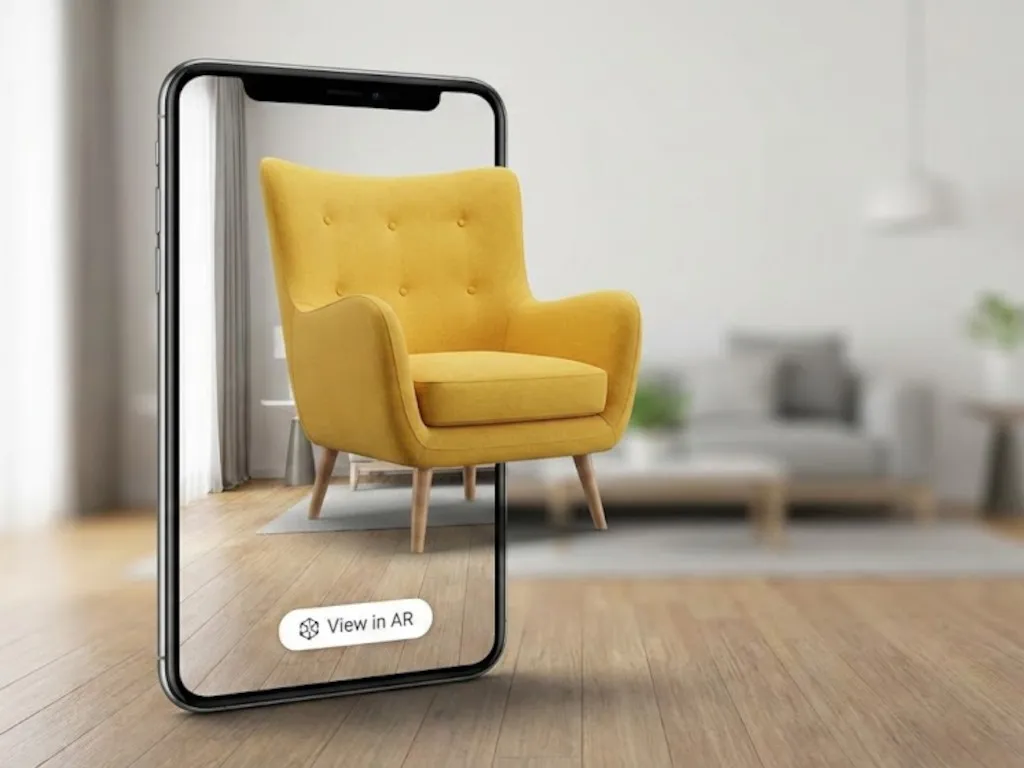
The augmented reality cost for a Magento 2 store has three parts. Integration of a 3D/AR viewer starts from 5,000 USD. 3D models cost about 50 USD an hour to build: 150 USD for a simple product, 1,000–1,500 USD for a detailed one. A CDN such as AWS CloudFront serves the model files.
Customers need no app, because WebAR runs in the mobile browser. Start with a 3D viewer on a small pool of products, measure the effect on conversion, then add AR as your library of 3D models grows. The furniture case study further down shows how one manufacturer did it.
What augmented reality does for eCommerce
Augmented reality (AR) places a digital object into the camera view of the real world. In AR for eCommerce, the customer sees the product in their own room at true size. They walk around it and look at it from any angle without leaving the website. That answers the questions a photo leaves open, so the customer buys with more confidence.
Marker-based and markerless AR
Marker-based AR uses a physical trigger, such as a QR code or a printed image. When the camera detects the marker, it anchors the 3D model to that spot.
Markerless AR reads the room through the camera, gyroscope and other phone sensors. It places the object on the floor or a table with no printed trigger. Modern smartphones ship with the hardware it needs.
Magento augmented reality for a product page means markerless AR. The customer presses one button and the sofa appears in their living room.
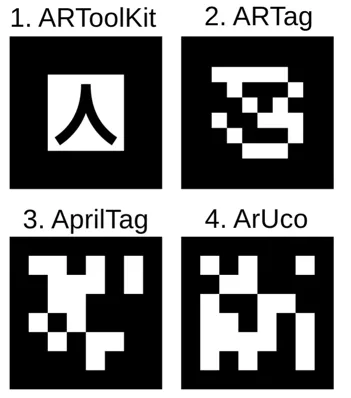 Markers used by various AR software. Source: Wikipedia

What the standard Magento 2 gallery lacks
Out of the box, the Magento 2 product gallery shows photos. Customers can zoom in on a texture, but they can’t change the angle, judge the scale or see the product in their own space. For furniture, home decor and larger electronics, that gap costs sales and causes returns.
A sofa shot in a studio under three-point lighting looks different in a customer’s living room. The height of a backrest or the true texture of a fabric is hard to show in a flat picture. Physically Based Rendering (PBR) materials in a browser 3D viewer close most of this gap. Rendered velvet or wood grain comes close to the real material.
Do I need a native AR app?
No. Modern browsers render 3D with WebGL, and Android supports WebXR for AR inside the browser.
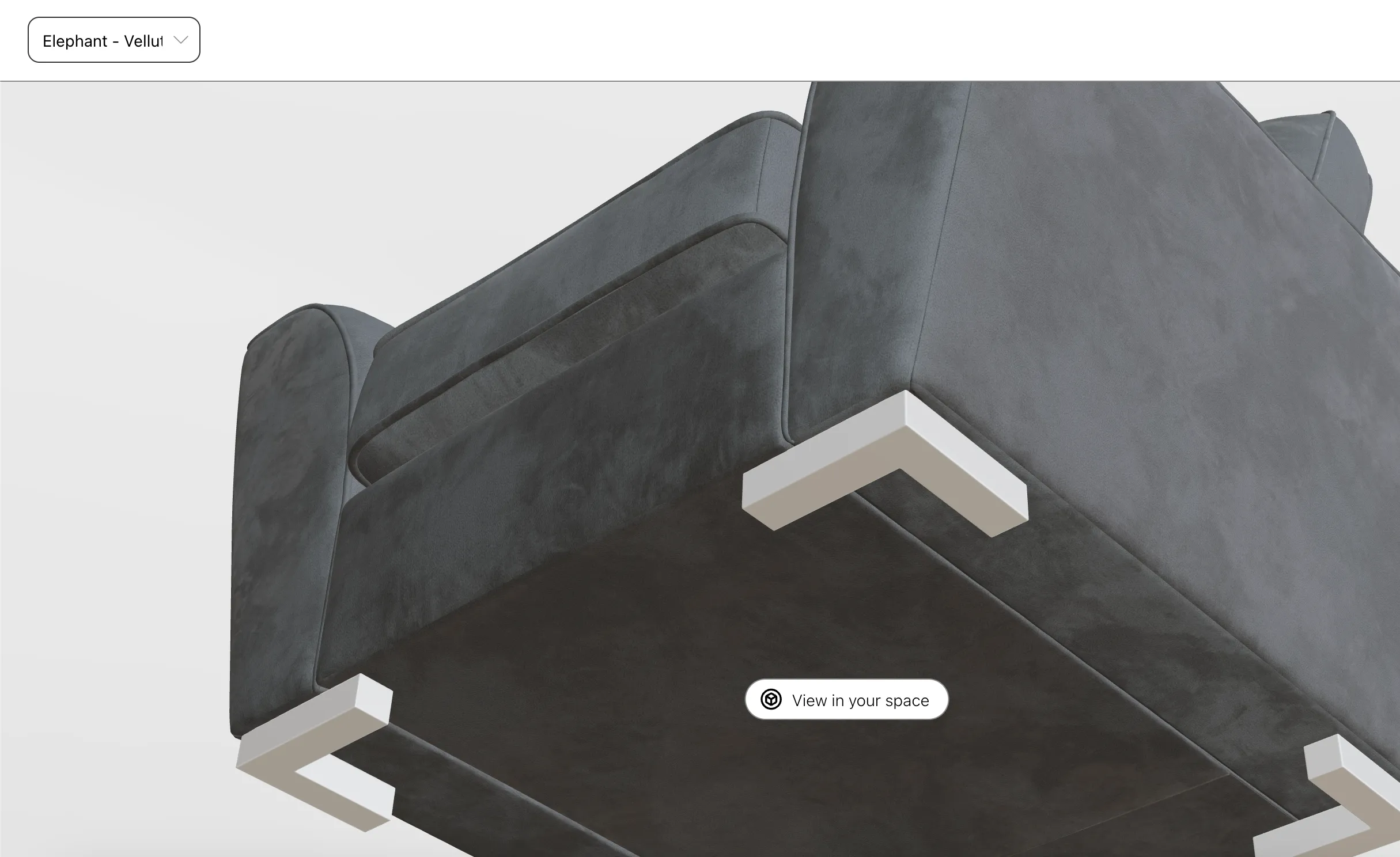
iOS Safari does not support WebXR, so iPhone users go to Apple’s AR Quick Look instead. Quick Look works well but is not interactive. If a customer changes a colour swatch, they relaunch Quick Look to see the new model in AR.
iOS note: models may look darker in AR Quick Look than in the browser 3D viewer, because of Safari’s lighting environment. Apple offers no workaround at the moment.
For most stores, browser AR gives a good experience on both platforms with no app to download.
What is the cost of a 3D AR viewer?
The cost is split between the following parts:
- integrating the viewer with your store
- CDN to serve 3D models
- 3D modelling
Integration with Magento 2 starts from 5,000 USD. The price depends on your theme customizations and the features the viewer should use. See what the integration looks like on our AR & 3D service for Magento 2, send us a message to add AR or 3D to your store, or test AR on your phone now.
The basic model viewer for simple products displays one version of the model. Solutions with 3D swatches use the material variants extension. A 3D designer then prepares models with PBR materials and material variants applied.
Material variants and their limitations
Material variants let you model a product once and keep all surface versions in one file. If you have good models prepared for the web (low poly), we add the variants you need.
Configurable products with two or more swatches need more work. A sofa with a configurable body and legs needs one variant for every combination.
For 8 textiles and 4 types of legs, that is 8 × 4 = 32 variants. The designer defines all 32 by hand.
Material variants also duplicate textures. They embed textures inside the glTF 2.0 file, so two models can’t share one texture. Each model file downloads identical textures again, and the files grow.
Alternative to material variants
Our extension assigns textures to models at runtime, so the customer downloads less. The browser caches each texture and reuses it for other product models without downloading it again.
You set the material textures for each Magento swatch attribute once. The extension assigns them to every product that uses the attribute.
For example, a furniture store may have 10 velvets, 20 linens and 10 wool fabrics for the sofa body. It also has five kinds of wooden legs and four metal legs. Each material belongs to a swatch attribute option, and every product with that attribute shares it.
On the product page, the viewer loads only the materials of the simple products available in the configurable product.
With materials stored in the glTF file as variants, the model would need (10 + 20 + 10) × (5 + 4) = 40 × 9 = 360 variants.
This method saves 3D modelling work and your customers’ bandwidth. Mobile devices often run on slow or metered networks, so file size matters.

CDN for 3D models and textures
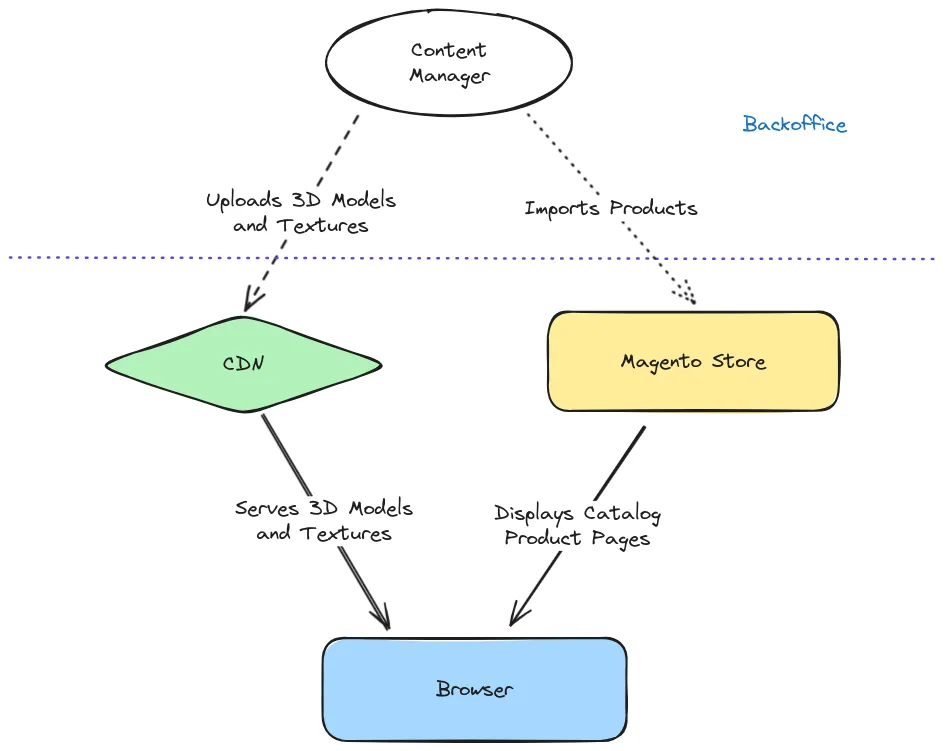
A CDN delivers 3D models and textures to your customers fast and takes the load off your store.
Your content team uploads models to the CDN over FTP or through the CDN dashboard. AWS CloudFront is a cheap and reliable option for this.
glTF 2.0 is often called the JPEG of 3D. eCommerce stores already serve product pictures and videos from a CDN. 3D models and textures follow the same pattern.
You add a single file name to a Magento 2 product attribute. It works like assigning a picture to a product. Any way you manage product data works with it: CSV import, an external PIM, the Magento Admin Panel or the REST API.
3D modelling cost
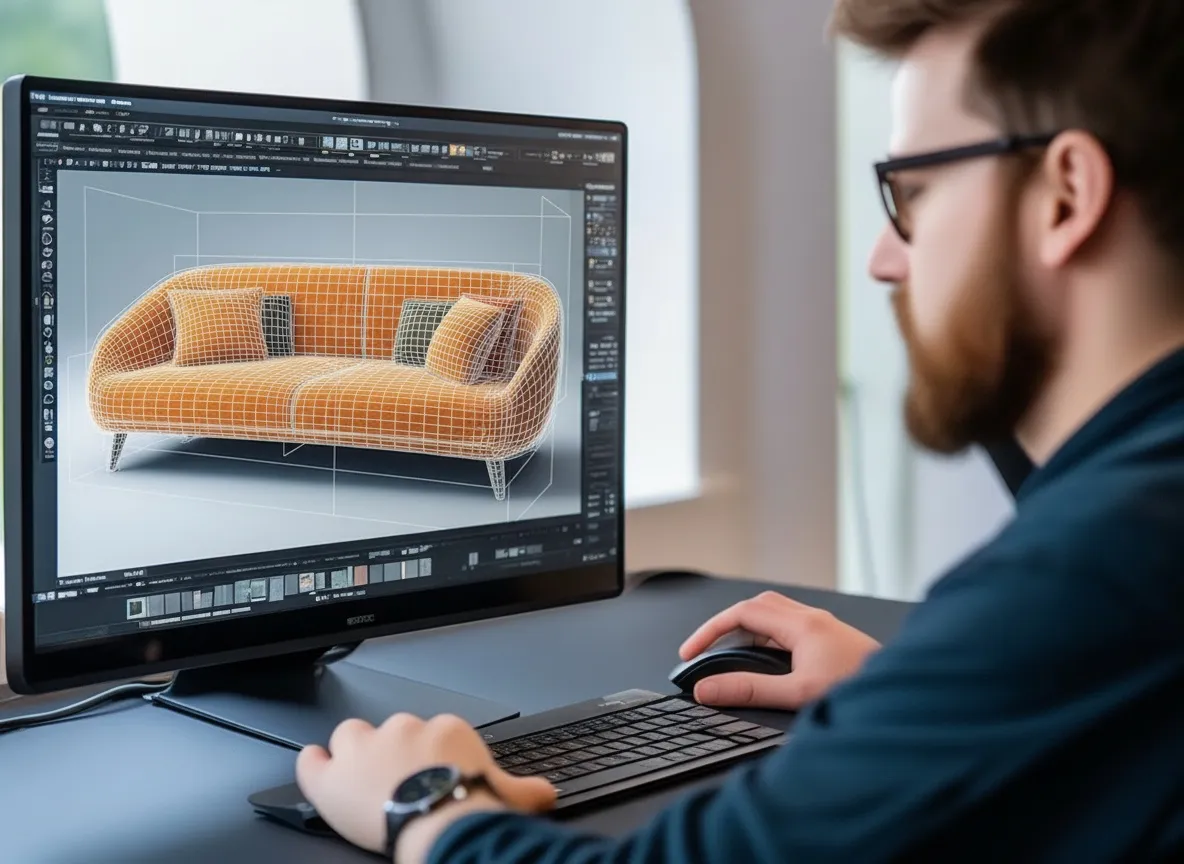
Our 3D modelling rate is about 50 USD per hour. A simple model like a power bank takes about 3 hours (150 USD). Detailed models take 20 to 30 hours and cost 1,000–1,500 USD.
For a smooth process, prepare:
- blueprints or photographs of the product from all important angles
- product dimensions
The designer builds the model from these documents.
Where to get 3D models of your products
The modelling rate above applies when we build a model from scratch. Check these sources first, because some cost less.
1. Get model files from your vendor
This is the easiest option. Many manufacturers already produce 3D models for their own renders and marketing. Ask your suppliers before you pay for new models.
2. Use publicly available models
If your store sells products from popular brands, public models may already exist. Platforms like Sketchfab and TurboSquid sell them for less than a custom build, and some are free. Read the licence of every free model, because many require attribution to the author.
3. Hire a 3D artist
A 3D artist builds models from your reference photos. Quality depends on the photos: take several angles in good light and send physical material samples.
4. Use a 3D scanner
A 3D scanner captures the exact shape of a physical object. It costs more but gives the most accurate geometry for products where precision matters.
Preparing models for the web
Every model needs web preparation, whatever its source:
- simplify the mesh topology (reduce the polygon count for mobile devices)
- assign PBR materials and texture variants
- export as glTF 2.0 (.glb for the web)
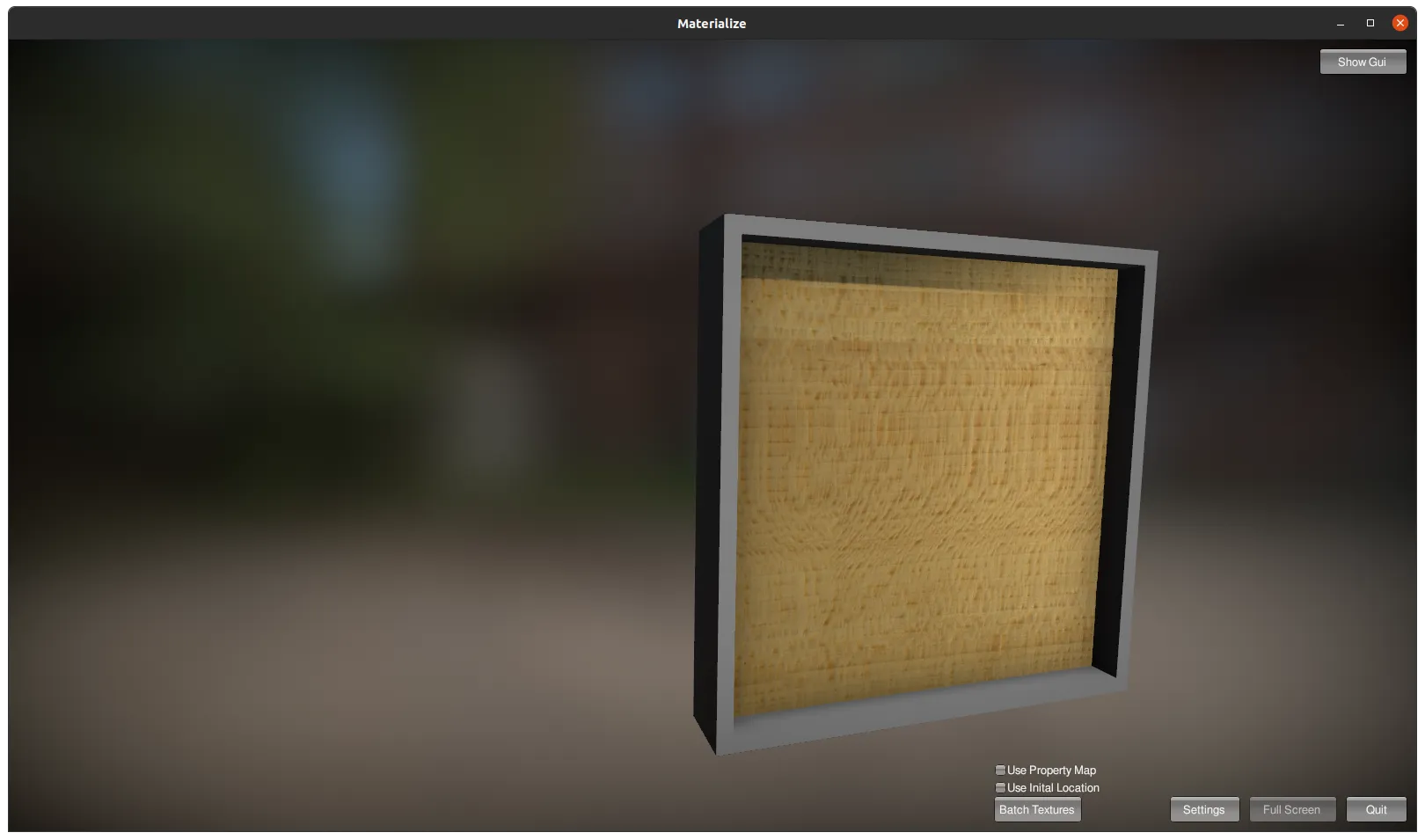
We use Blender: it is free, open source and has a large community. textures.com is a good source of PBR textures. Materialize generates PBR maps from photographs and is a free alternative to Adobe Substance 3D.
We handle the whole process, from model preparation to Magento 2 integration. See our AR & 3D service for Magento 2
Case study: AR for a furniture manufacturer
We built AR and 3D viewers on Magento 2 for a furniture manufacturer that designs and produces its own pieces.
Starting point
The client’s in-house design team already had 3D models for product renders. These high-detail production models suited offline renders but were too heavy for the mobile web.
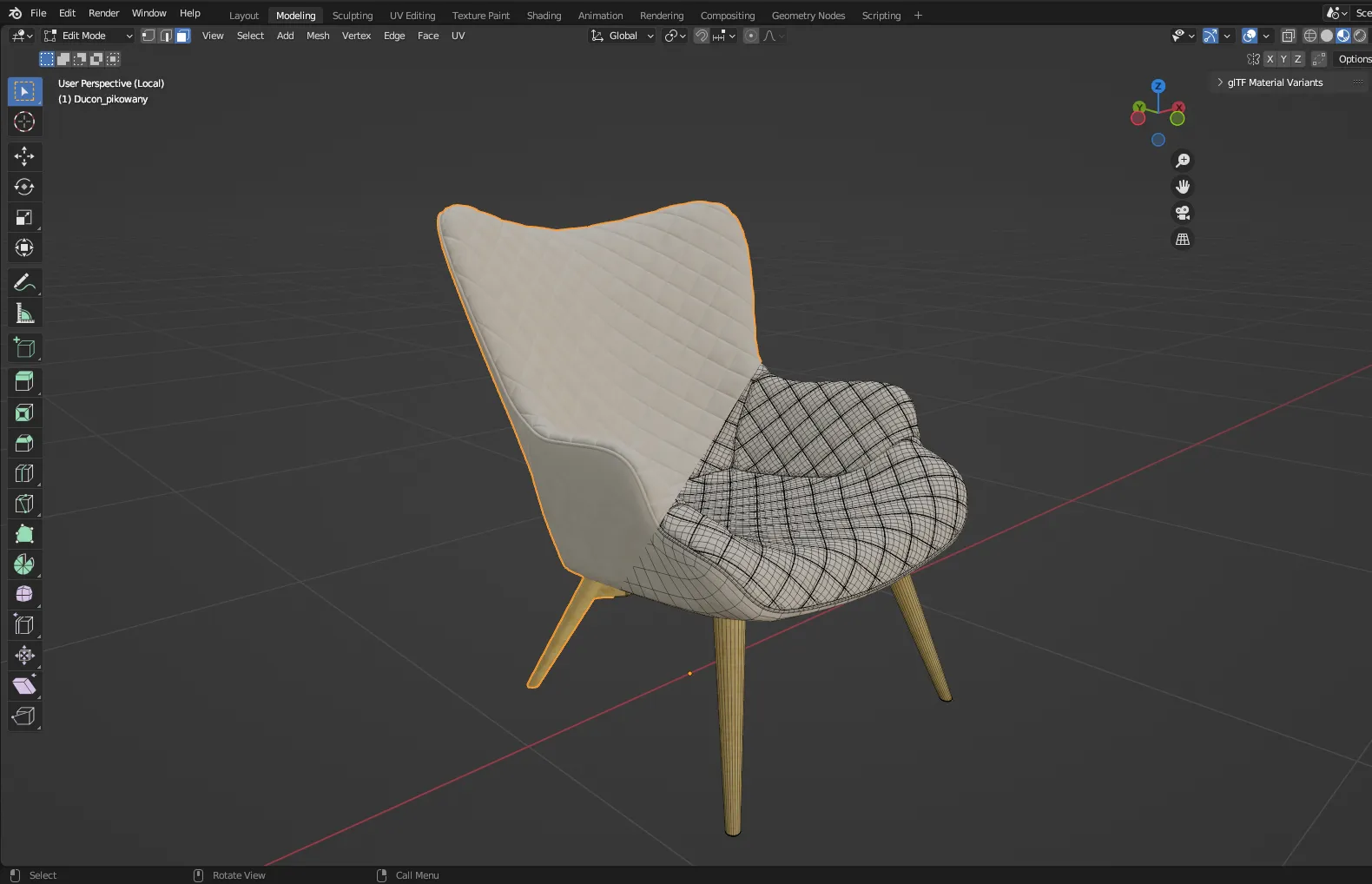
We used Blender’s Remesh and Decimate modifiers to simplify the mesh of each model. We kept each model under 250,000–500,000 vertices, a safe upper bound for both the 3D viewer and AR on most mobile devices.
Materials and textures
Part of the range is upholstered in velvet. Velvet is hard to render because its sheen changes with the viewing angle. We generated the PBR sheen colour at runtime: the average colour of the texture, made lighter. This reproduces the look of real velvet fibre.
Textures started from photographs of real material samples. The World UV addon for Blender gave every UV map the same real-world scale, so fabric patterns render at their true size in AR.
See the result live: view furniture prepared for AR on SLF24.
Our web 3D technology stack
Four technologies work together:
Implementation rules
We set these technical rules before the build:
- Model complexity: models over 1 million vertices run in the 3D viewer but crash AR on older phones. We kept every model under 250,000–500,000 vertices.
- Texture compression: imagemagick and pngquant cut texture file sizes. Normal maps skip pngquant, because its lossy compression damages the lighting data they hold.
- Per-variant models: each material variant (velvet, polyester, wood finish) got its own model file with its own physical properties. AR shows the exact product the customer is looking at.
Challenges and limitations
The project worked, but these platform limits apply to any store on this path:
- iOS brightness: models can look darker in AR Quick Look than in the browser viewer. This is a Safari/iOS constraint outside developer control.
- iOS AR flow: Safari can’t start a WebXR session, so iPhone users move to AR Quick Look. The switch is automatic, but the handoff between browser and system viewer is less smooth than on Android.
- Interactivity in AR: AR Quick Look does not pick up swatch changes made in the browser. Customers relaunch Quick Look for each variant. WebXR on Android has no such limit.
Custom solution or pre-built plugin
Off-the-shelf AR tools exist (such as Verge3D), and they can be a starting point. For a production store they come with trade-offs:
- Rigid architecture: generic tools fit generic products. Velvet sheen or per-material variant models mean constant workarounds.
- Duplicate file downloads: many tools need a separate model file per material variant. A customer browsing colours may download several full models without knowing it.
- Weak store integration: generic AR widgets rarely fit your theme, product page layout or Magento 2 attributes. The result looks bolted on.
A custom build lets you decide how the page embeds the viewer, how variants load and how the browser caches models. That control shows up as faster product pages.
Treat augmented reality as an investment
A 3D model is a long-term digital asset. The same glTF file you prepare for a 3D viewer today works in AR now and in future AR formats.
Major platforms already accept 3D models.
Google Merchant Center lets you display 3D models on free listings through the virtual_model_link attribute.
3D in Merchant Center is available in the US only and is limited to shoes and home goods.
Industry leaders also back open 3D formats. Nvidia invests in Universal Scene Description (USD) and uses glTF 2.0 in Omniverse.
Universal Scene Description describes the geometries, materials, physics, and behavior representations of 3D worlds and is the best open and extensible standard language for the 3D internet. — Jensen Huang, CEO, NVIDIA

Keep your models in open formats like glTF 2.0, and they stay usable as these platforms grow.

How to measure augmented reality ROI
Measure AR against the store’s own numbers before you roll it out to the whole catalogue.
Start with a small pool of products
Add AR to a limited set of products first. A small set gives clear data on whether AR pays off for your store.
Track clicks on the AR viewer button
Track clicks on the AR button with Google Analytics 4, Clarity, Matomo or a similar tool. The clicks show how many customers use AR and which products they view in it.
Compare conversion and refund rates
Compare conversion rates after AR launch with the period before it. Compare the refund-to-sales ratio with historical reports as well.
Run A/B tests
If you have A/B testing in place, test different AR experiences against each other. The test shows which version customers use and which one converts.
Where to start
Start with a 3D viewer on a few products and measure the result. Add AR as your 3D model library grows. Viewer integration with Magento 2 starts from 5,000 USD, plus 3D modelling and a CDN.
Tell us about your products and we’ll estimate the integration and modelling cost for your catalogue.
References
- Live implementation: 3D & AR Chesterfield Sofa on slf24.co.uk
- Unity-based PBR material editor: Materialize
- Open-source 3D modeller: Blender
- Textures and materials: textures.com
Frequently asked questions
Magento 2 augmented reality
How much does it cost to add AR to a Magento 2 store?
Integration of a 3D/AR viewer with Magento 2 starts from 5,000 USD, depending on theme customizations and the features the viewer should support. On top of that, budget for 3D modelling of your products and a CDN to serve the model files.
How much does a 3D product model cost?
Our rate is around 50 USD per hour. A simple product such as a power bank takes about 3 hours (150 USD). Detailed models take 20 to 30 hours and cost 1,000 to 1,500 USD. Products from popular brands can often use public models from platforms like Sketchfab or TurboSquid at lower or no cost.
Do I need a native mobile app to offer AR in Magento 2?
No. WebAR runs directly in the mobile browser. Customers tap a button on the product page and see the product in their room, with no app store download. Native apps only make sense for very specialized AR experiences.
How do I get 3D models of my products?
Three routes: request model files from your manufacturers (many already produce them), hire a 3D artist to build models from reference photos, or 3D-scan the physical products. Models then need web preparation: reduced polygon count, PBR materials, and glTF 2.0 (.glb) export.
Do I need a CDN for 3D models in Magento 2?
Yes. 3D models and textures are large binary files, and serving them from a CDN such as AWS CloudFront keeps product pages fast and takes the load off the store server. It is the same pattern eCommerce already uses for product images and videos.
How do I measure the ROI of augmented reality?
Start with a small pool of products, track clicks on the AR viewer button with a tool like Google Analytics 4 or Matomo, then compare conversion and refund rates against the period before AR. A/B testing different AR experiences gives the clearest signal.